2.1 — Headings and Paragraphs
Every text-based webpage needs a clear, explicit structure so that browsers, search engines, and assistive technologies can read and categorize data accurately. HTML provides two fundamental block‑level tools for this: headings and paragraphs.
Document Headings
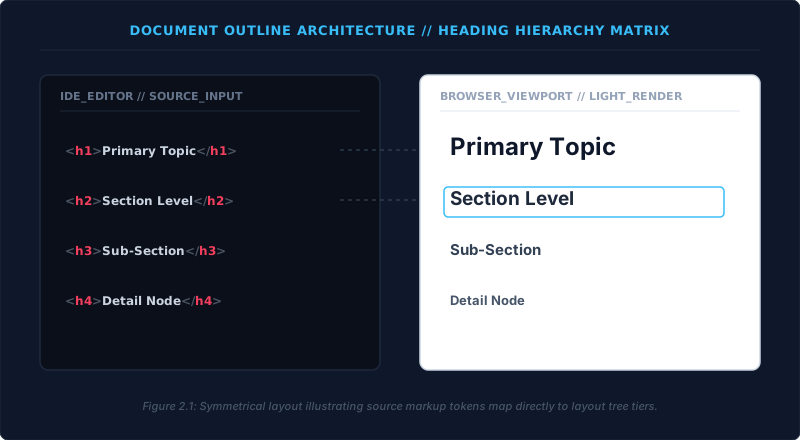
HTML offers exactly six tiers of headings, from <h1> to <h6>. Each one builds a predictable informational hierarchy. To create a top‑level heading, you write:
<h1>Main Heading</h1>
For lower sub‑sections, modify the number: <h2> for a secondary level, <h3> for the next, and so on.
Strict Rules
- Headings are for structure, not for visual size. Never choose a heading level simply because you want bigger or smaller text. Visual styling belongs in CSS.
- Keep a strict mathematical sequence. Your page must start with an
<h1>to declare the primary topic. Sub‑sections underneath must step down sequentially:<h2>, then<h3>, and so on. Skipping from<h1>directly to<h3>breaks the document outline and confuses screen readers.
The Paragraph Container
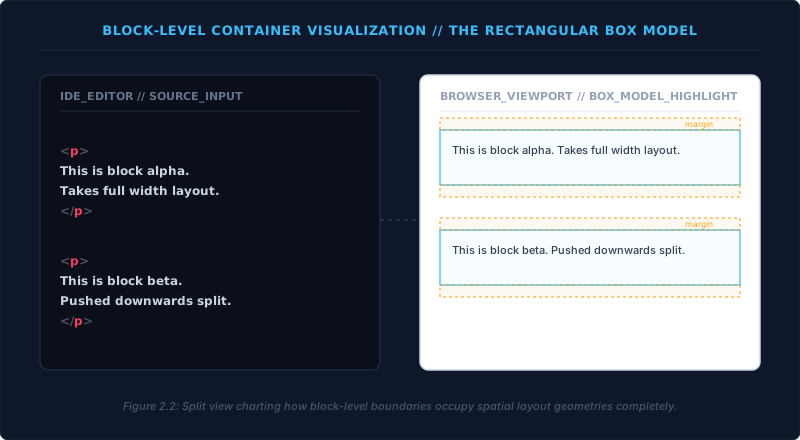
Narrative text is wrapped inside a paragraph element: <p>…</p>. This element is block‑level. The browser automatically:
- Allocates the full width of the parent container to the paragraph.
- Inserts a line break before and after the block.
- Adds vertical spacing (margins) between adjacent paragraphs.
Line Breaks & Thematic Breaks
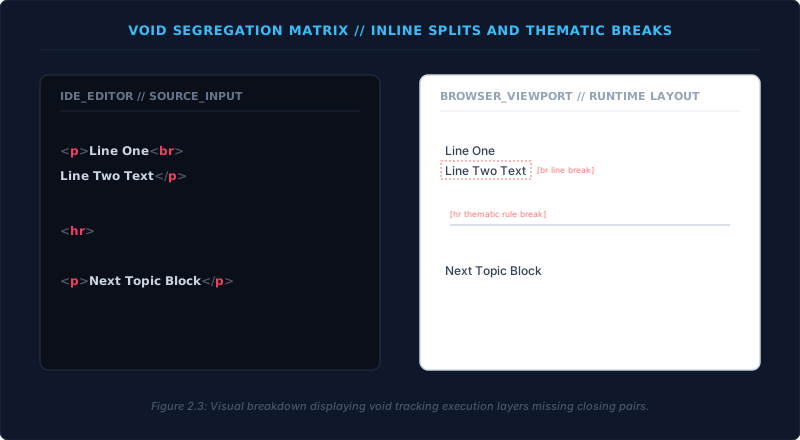
Sometimes you need to change text flow without starting a new paragraph or heading. Two void elements (tags with no closing partner) handle this:
- Line break:
<br>– Forces a new line exactly where it appears. Use only when the line break is an essential part of the content, such as in a postal address or a poem. Never stack multiple<br>tags to create artificial spacing. - Thematic break:
<hr>– Marks a major shift in topic. It conveys a semantic separation to the browser’s outline and assistive tools. No closing tag is needed.
Practical Example
Let us assemble a page fragment following the workflow of writing tag pairs first and then filling content. All visible content must live inside the <body> element. The body acts as a universal container, but it’s simply the stage – not the star. In the example below, the body tags are shown in a muted style to underline that they serve only as a wrapper for the real content.
<body>
  <h1>Welcome to My History Page</h1>

  <p>This page documents major historical eras.</p>

  <hr>

  <h2>The Industrial Era</h2>
</body>
This simple block already shows correct heading hierarchy, paragraph separation, and a thematic break to signal a new topic. By sticking to these rules, you guarantee machine‑readable, accessible text that stays clean and future‑proof.
Headings build the outline. Paragraphs carry the message. Line breaks handle local layout, and thematic breaks signal shifts. Together, they form the structural backbone of every readable web document – all neatly wrapped inside the <body>.