2.3 — Semantic vs. Visual‑Only Text Elements
HTML classifies its text‑level elements into two distinct functional groups. Semantic elements alter the document’s meaning and the accessibility tree – they tell the browser what the text is. Visual‑only elements strictly affect the pixel paint operation – they tell the browser how the text looks. Understanding this boundary is the core of clean, accessible markup.
Structural Importance vs. Layout Bolding
The <strong> element is semantic. Its visual output (a bold typeface, by default) is a side effect; its real job is to mark the enclosed text as important or urgent. Screen readers change their vocal stress, and search engines give extra weight to the content.
<strong>Warning: do not touch.</strong>
The <b> element is purely visual. It applies a bold font weight during painting, but communicates nothing to assistive technology. A screen reader reads <b> text in the same flat tone as surrounding text.
<b>This is bold text.</b>
Warning: do not touch.
This is bold text.
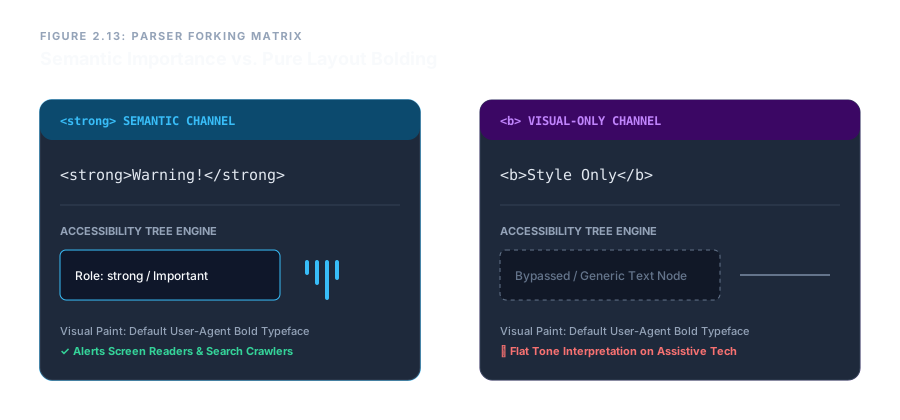
<strong> (semantic, left) vs. <b> (visual, right).Document Revision Tracking vs. Visual Strikethrough
The <del> element records that text has been deleted from the document. It can carry machine‑readable metadata – cite (the reason URL) and datetime (ISO timestamp) – to document the exact revision. The complementary <ins> element marks inserted text with the same attributes.
<del cite="/changelog#12" datetime="2026-07-09T10:30:00Z">Old price: $50</del><ins cite="/changelog#12" datetime="2026-07-09T10:30:00Z">New price: $40</ins>
The <s> element is strictly visual. It draws a line through the characters, signalling that the text is no longer accurate (e.g., an old price), but it contains no revision history, no timestamps, and no semantic record.
<s>Was $50</s>
Old price: $50
New price: $40
Was $50
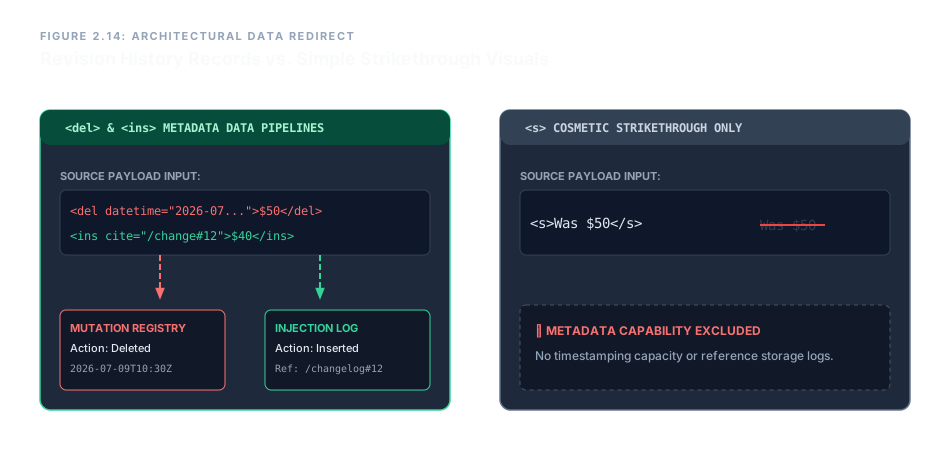
<del>/<ins> (semantic, left) vs. <s> (visual, right).Grammatical Emphasis vs. Alternate Prose Voices
<em> encodes linguistic emphasis – it can change the meaning of the sentence. Screen readers alter their inflection when they encounter an <em> element, and the browser assigns a default italic style as a visual cue.
You <em>must</em> finish this tonight.
<i> is for alternate voice or tone – foreign words, taxonomic names, ship names, or internal thoughts – without adding importance or emphasis. It renders as italic but carries no vocal stress.
<i>Homo sapiens</i> is our species.
You must finish this tonight.
Homo sapiens is our species.
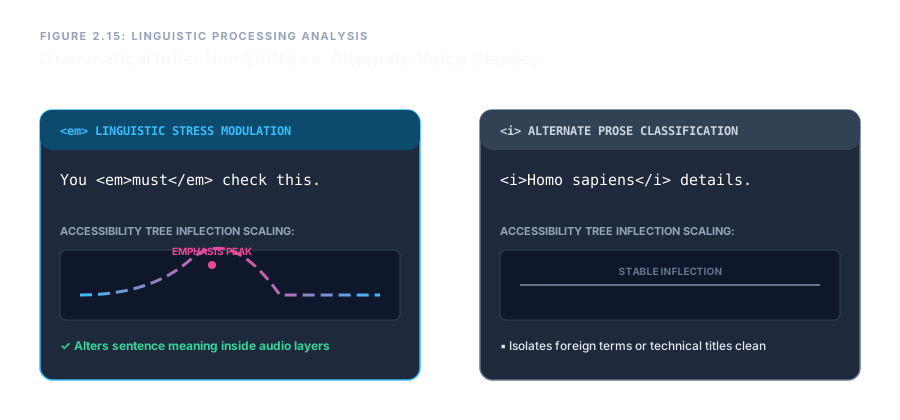
<em> (semantic, left) vs. <i> (visual‑only voice, right).
Semantic elements (<strong>, <em>, <del>, <ins>) describe meaning – they enrich the metadata and accessibility tree. Visual‑only elements (<b>, <i>, <s>) describe appearance – they only affect paint. Choosing the right one keeps your document structurally clean, machine‑readable, and fully accessible.