1.3 — The Execution Paradigm: Imperative vs. Declarative
To truly understand how a web browser processes your source code, you must grasp a fundamental engineering concept: the difference between telling a computer how to do something and simply declaring what you want. This difference separates traditional programming languages from HTML, and it all comes down to two contrasting styles: imperative and declarative.
Imperative: Step‑by‑Step Recipes
Most programming languages you’ve heard of – JavaScript, Python, C++ – operate on an imperative model. In this world, you write explicit, sequential instructions that detail exactly how a machine should perform calculations and manipulate data. It’s like writing a recipe for a chef who knows nothing: you must spell out every single step.
Imperative code relies heavily on:
- Control flow – You guide the computer with commands like
if,else,for, andwhile. The execution jumps down different branches or runs in loops. - State management – You manually create variables to hold dynamic data. Those variables change over time as your logic runs, so you are constantly tracking what’s in memory.
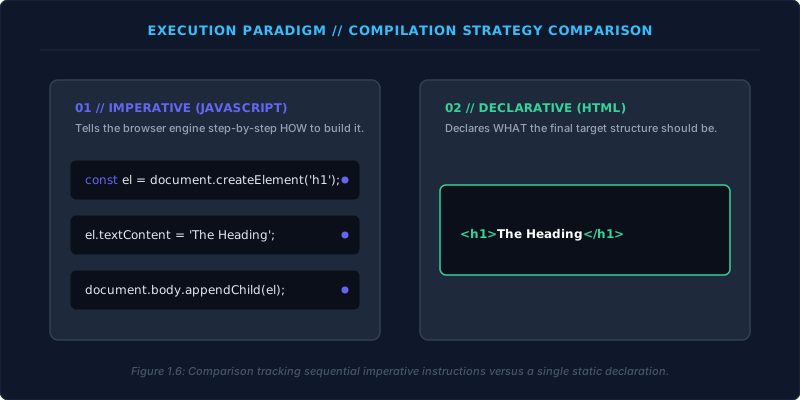
For example, if you wanted to produce a heading with imperative JavaScript, you would need to:
- Create a new element node in system memory:
const heading = document.createElement('h1'); - Set its text content:
heading.textContent = 'The Main Heading'; - Attach it to the document:
document.body.appendChild(heading);
Each step is a direct command to the machine – you’re controlling the process from start to finish. Imperative programming gives you total power, but with that power comes responsibility: you must handle every detail.
Imperative = how to achieve the result. Declarative = what the result should be.
Declarative: State What You Want
HTML, on the other hand, is purely declarative. You never write algorithms, loops, or variables. You don’t tell the browser engine how to draw a pixel, calculate line breaks, or manage memory. Instead, you simply declare the final structure – the content and its meaning – and then hand off all the complex work to the browser.
Declarative code has three defining traits:
- No logic – There are no conditionals, no loops, no mathematical operators. The markup is a static snapshot.
- Structural permanence – The document describes the content at one fixed moment. It does not change unless the page is reloaded or additional scripting modifies the DOM.
- Delegated execution – You define what each piece of text is, and the browser’s internal layout engine figures out the rest: fonts, spacing, word wrapping, and pixel placement.
To create the same heading in declarative HTML, you don’t write a sequence of creation steps. You simply type:
<h1>The Main Heading</h1>
That single line declares the entire structural intent. The angle brackets mark a heading, the content sits inside, and the closing tag finishes the element. No instructions, no variables – just a declaration of fact.
How the Browser Reads a Declarative Document
When an imperative program runs, a compiler or interpreter must translate your logic into machine instructions for the CPU. But when a declarative HTML page loads, the browser’s rendering engine follows a completely different path:
- Parsing – The engine reads your HTML string sequentially, looking for syntax markers like the less‑than and greater‑than signs. It identifies where tags begin and end, and it notes the element names and attributes.
- Tree construction – The engine does not “execute” your tags; there’s no logic to follow. Instead, it uses your declared tags as a structural map to build a live tree of objects in computer memory – the Document Object Model (DOM). Each element becomes a node in that tree.
- Layout and painting – Once the DOM is assembled, the browser’s built‑in layout engine takes over. It calculates the exact position and size of every element, applies any default styles (or CSS), and paints the text and graphics onto the screen.
As a web author, you don’t need to manage any of this computation. You simply declare the structural state of your content and let the browser fulfill that description automatically.
Imperative languages tell the machine how to do it. Declarative HTML tells the machine what it is. Understanding this difference is one of the most powerful mental shifts a new web engineer can make. From now on, remember: in HTML, you are not a programmer writing commands; you are a document architect laying out a blueprint.